UNINET® Blog
| TRANSFER NEWS
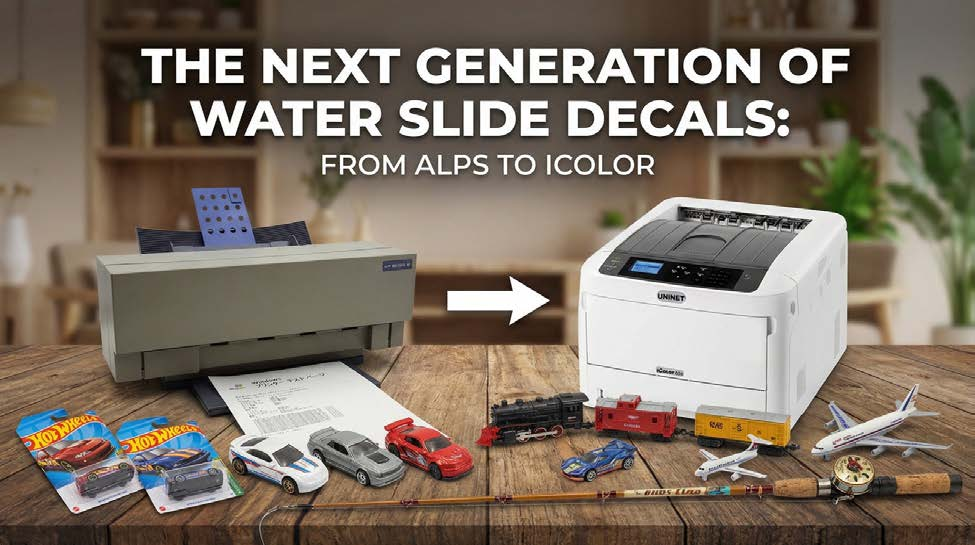
The Modern ALPS Printer Replacement for Decals & Waterslides: Why the IColor™ 650 White Toner Transfer Printer Wins!
By Richard Shannon Laser Transfer Supply, Authorized UNINET Reseller
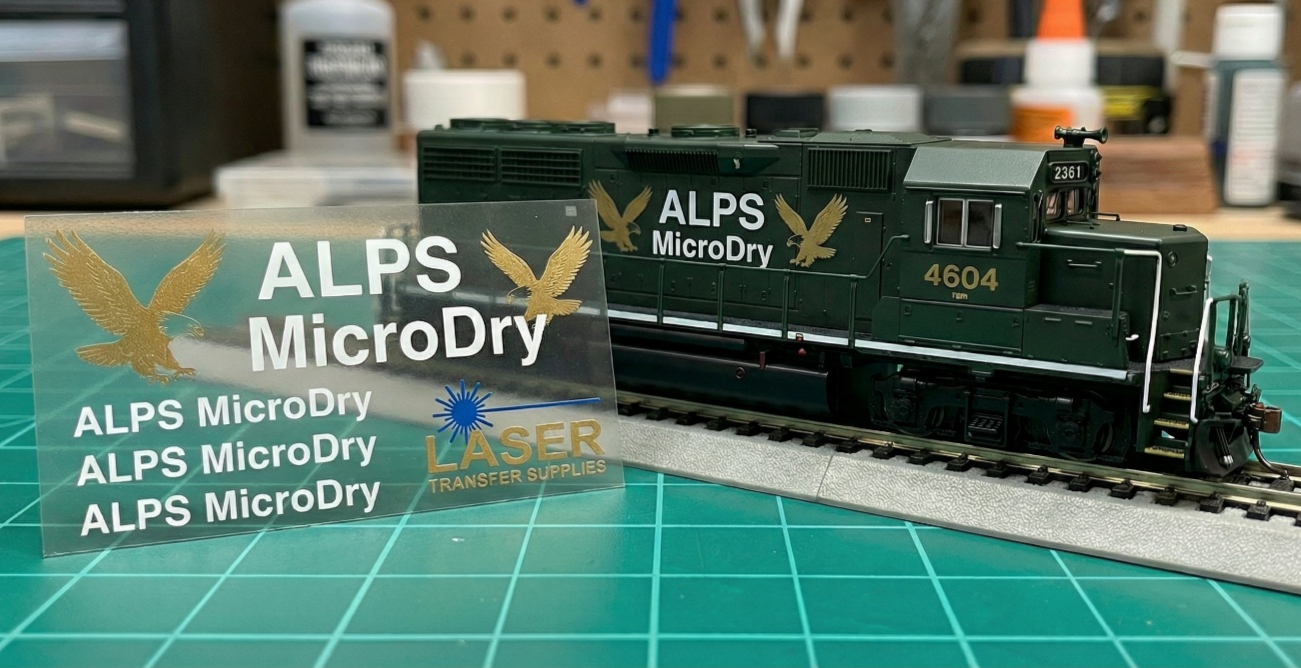
If you’ve been printing decals or waterslides for any length of time, you already know how legendary the ALPS MicroDry printers were. They could print opaque white, metallics, and finely detailed graphics on decal paper—something ordinary inkjet and laser printers simply couldn’t do. But ALPS printers are long discontinued, parts are scarce, and ribbons are getting more expensive every year. At some point, “keeping the old ALPS printer alive” stops being charming and starts being a liability for your hobby or business.
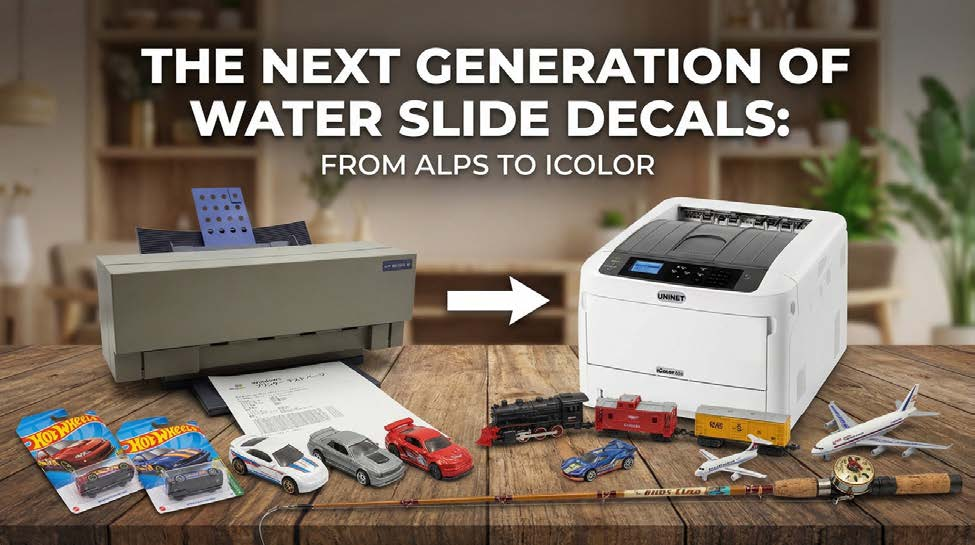
This is where the UNINET® IColor™ 650 white toner transfer printer steps in. It’s a modern, versatile, supported, high-resolution white toner transfer printing system that can print directly onto paper or specialty media for custom decals, waterslide-style transfers, labels, hard surfaces, and apparel—and it’s available today with full support and supplies.
This printing guide walks through:
• Why ALPS MicroDry printers were so good for decal work.
• What’s gone wrong with relying on them in 2026 and beyond.
• What to look for in a true ALPS printer replacement.
• How the IColor™ 650 white toner printer compares to—and in many ways surpasses—ALPS for decals and waterslide transfers today.
• Exactly what to buy (with links) and a simple workflow to get you printing.
Why ALPS MicroDry Printers Became the Decal Gold Standard
For years, ALPS MicroDry printers were the answer to one critical problem: how to print solid white and metallics onto clear decal paper? What made ALPS printers so special?
1. Wax/resin MicroDry ribbons
ALPS used a thermal transfer system with colored wax/resin ribbons, not liquid ink. This lets them lay down opaque colors on a wide variety of media.
2. White & metallic spot colors
In addition to CMYK, ALPS printers offered spot cartridges for white, metallic silver, metallic gold, and other special colors—essentially for realistic logos, railroads, race cars, guitar headstocks, and more.
3. True white printing on clear film
Because most printers assume white media and don’t have white ink, they simply can’t print white onto clear waterslide or decal film. ALPS could, and decal makers took full advantage.
4. Good adhesion to decal film
Hobbyists found ALPS ink less prone to flaking and smearing on decal film than early laser printers, which often had granular toner that cracked when the decal was bent.
For a long time, hobbyists considered the ALPS MicroDry printer to be the holy grail for creating homemade white waterslide decals.
The Problem with ALPS Printers Today
As good as ALPS printers were, they’re now a dead platform. Discontinued hardware and consumables.
• ALPS stopped supporting MicroDry printers outside Japan in 2007, and the last MicroDry model, the MD-5500, ceased sales in 2010 with no successor planned.
• In 2015, ALPS announced the cessation of MicroDry consumable production, indicating that any new ribbons available in the market come from remaining stock or third-party sources.
• Specialist suppliers and hobby stores still offer some cartridges, but you’ll see limited stock and frequent “out of stock” notices, especially on white and metallics.
• Add aging electronics, obscure drivers, and the need for old operating systems, and it becomes clear: building your decal workflow on ALPS is a risky bet.
Technical Limits on Decal Printing
Even when you do keep an ALPS running, there are real constraints when printing on decal paper:
• Even though it technically can print in full color. Most professional printers limit images to 10 solid colors (black, white, any 2-color combo if CMYK, plus metallic gold and silver).
• Because thick decal stock must pass through the printer multiple times, ALPS experts recommend a maximum of 3 colors (or about 2 overlaid layers) on a sheet to avoid micro-scratching and ink damage.
• Halftones and blends are printed with a coarse 60 lpi screen, which can appear grainy on small decals compared to the micro-detail achievable with a modern 1200 dpi output (both horizontal and vertical) on the IColor™ 650.
• On top of that, ALPS inks aren’t UV-resistant and can fade quickly outdoors unless you add extra clear coats.
• So even if your ALPS still works, it doesn’t match what a modern white toner printer system can do.
What a True ALPS Printer Replacement Needs to Do
If you’re replacing an ALPS printer, you’re not just buying “another printer.” You need a system that can:
1. Print solid, opaque white that can block out a dark substrate and allow for vibrant, full-color decals. (The IColor™ 560 makes for a good light-to-medium color substrate decal printer, but can't match the opacity of white.)
2. Handle waterslide / decal-style media for small, detailed graphics.
3. Match or exceed ALPS detail and registration (think 1200 × 1200 dpi, not 600 dpi)
4. Offer robust supplies and support you can count on for years
5. Be able to print on more than just decals—apparel, hard surfaces, labels, etc.—so the investment pays you back.
Modern white toner transfer printers are built for exactly this kind of work—full-color + white images transferred to textiles, wood, plastic, candles, glass, and more.
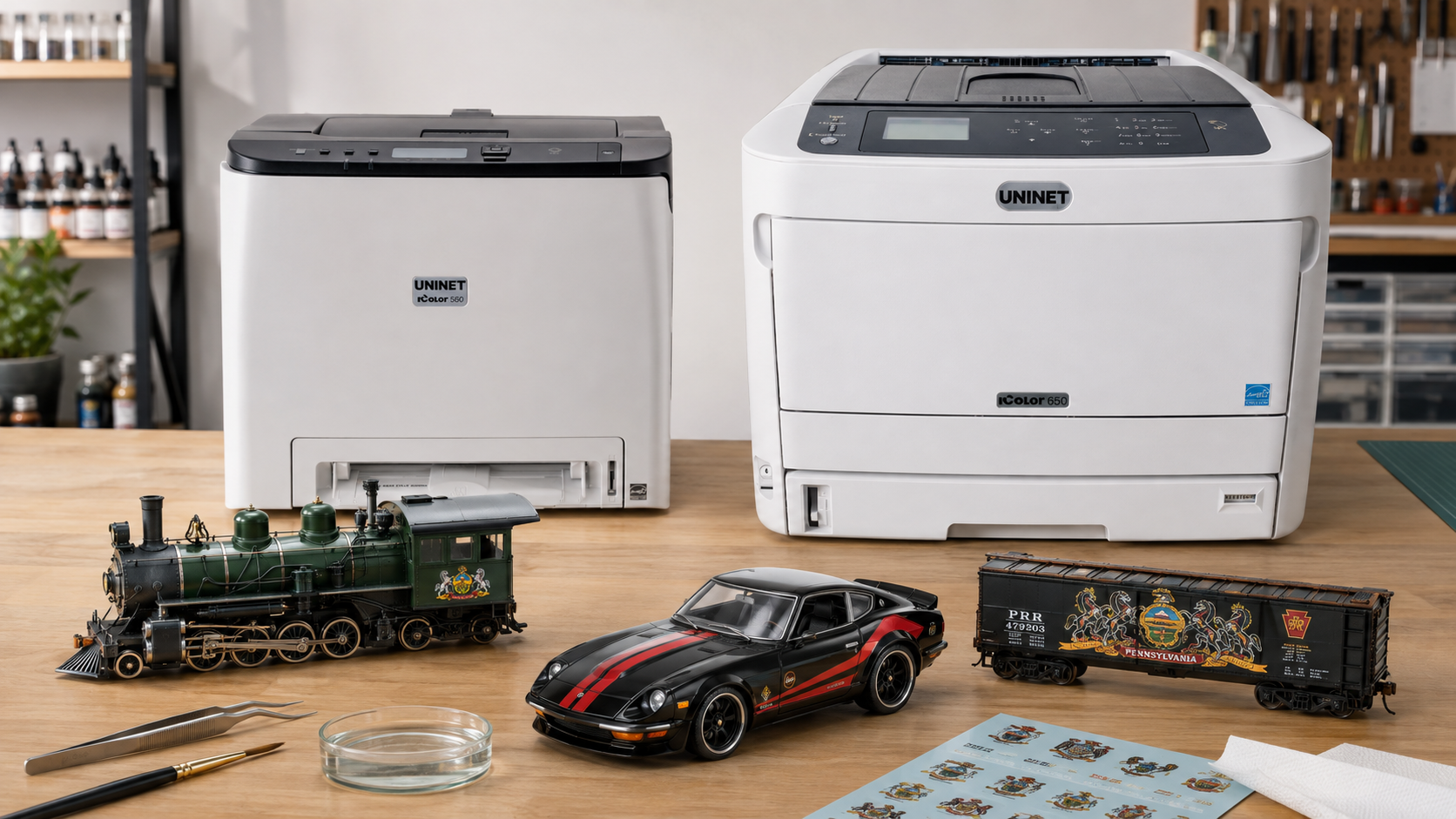
Among them, the UNINET® IColor™ 650 white toner transfer printer stands out as the most ALPS-like printer replacement, with far more flexibility.
Meet the IColor™ 650 White Toner Transfer Printer—A Modern ALPS Printer Replacement.
The UNINET® IColor™ 650 is a dedicated white toner transfer printer designed for short- to mid-run production of garments, hard surfaces, marketing materials, and, most importantly, for someone coming from an ALPS waterslide-style decal process.
Key Specs that Matter for Decal Work
1. 1200 × 1200 dpi resolution for crisp, fine detail—significantly higher than many competing white toner systems.
2. This printer offers both White Overprint and White Underprint modes, allowing you to
- * Print white behind color for clear or dark media (underprint)
- * Print white on top for specialty effects (overprint)
3. LED + low-temperature fusing, which handles a wide range of transfer papers and reduces the risk of warping or damaging films.
4. A3/ tabloid transfer paper/media support (up to 11.8" × 52" for apparel and banners). The decal paper we provide is A4-sized with a blue backing and A3-sized with a white backing.
5. High-yield toners – standard CMYK and white cartridges rated around 10,000 pages at 5% coverage, with a 10,000-page fluorescent white included in some kits.
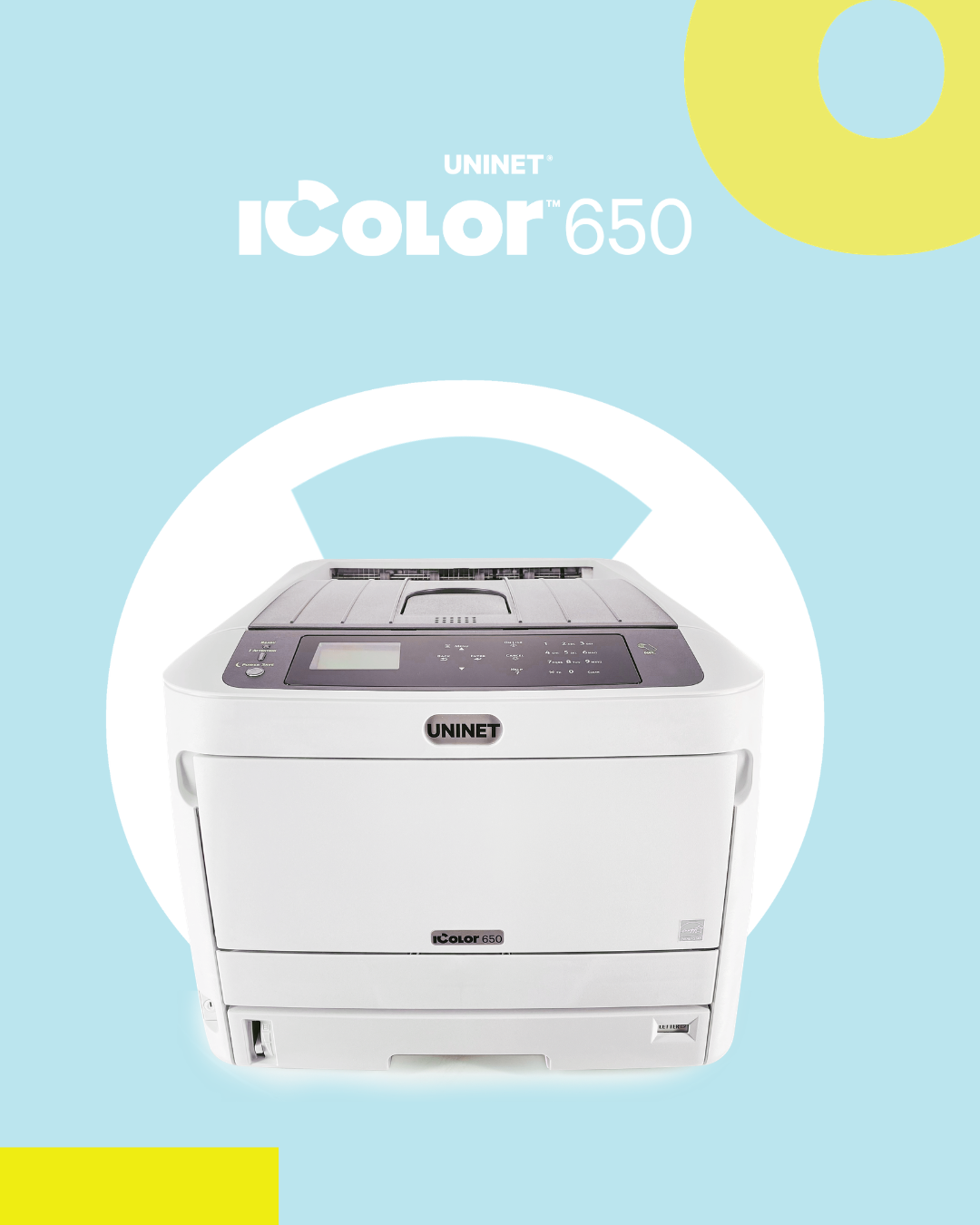
Uninet’s own documentation explicitly calls out waterslide decals as a target application for the IColor™ 650, alongside candles, labels, stickers, window clings, and more.
How the IColor 650 Replaces—and Beats—ALPS for Decals & Waterslides
1. True white, but with modern control.
Like ALPS, the IColor™ 650 lets you print solid, opaque white onto clear film and dark surfaces. The difference is how the white is controlled:
• The IColor™ ProRIP™ software automatically builds a white underbase, adjusts density, and even limits white only to where it’s needed, reducing toner usage and making transfers feel thinner and more flexible.
• You can store presets for different jobs and images where you've made custom changes in the RIP, making repeat orders consistent.
With ALPS, multi-pass white layering is a juggling act; with the IColor™ 650, white is just part of the normal workflow.
2. Single-pass registration vs. multi-pass risk
ALPS often requires multiple passes through the printer to build up colors and overlays, especially when combining white and spot colors, which increases the risk of mis-registration and ink scratching on stiff decal paper.
The IColor™ 650:
• Prints CMYK and white in one pass. Eliminating ruined prints due to registration issues caused by misalignments from multiple print passes.
• Maintains tight alignment between color and white layers with a built-in auto-registration calibration.
• Reduces physical handling of the sheet, which is especially important on delicate films and waterslide media
You get simpler setups, fewer test prints, and more predictable results.
3. Higher resolution and smoother gradients
For very small text and fine detail (legible text on sponsor logos placed onto matchbox cars!), 1200 × 1200 dpi output from the IColor™ 650 produces smoother edges and gradients than ALPS’ coarse screening on multi-color jobs.
If you ever struggled with grainy halftones or "dotty" blends from your ALPS, you’ll notice the jump immediately.
4. A platform that’s still being made and supported
Uninet is actively producing the IColor™ 650 and its consumables, with:
• Ongoing firmware and software support
• Official papers and media with ICC profiles
• A documented roadmap and training resources like the White Toner Master Class and White Toner Notebook.
Instead of chasing dated drivers and second-hand parts, you’re buying into a current ecosystem with real support and a growing community of hobbyists and professionals.
Pairing the IColor™ 650 with Blue-Backed Waterslide-Style Media
ALPS users are often used to blue-backed waterslide decal paper – that blue carrier sheet makes white designs easy to see and trim, and it behaves beautifully for model work.
The IColor™ AquaClear™ Decal Paper for Hard Surfaces, which includes an A4/8.27" × 11.69” blue-backing variant, is specifically designed to be
• Printed with your IColor™ white toner printer
• Trimmed, dipped in water, and slid into place
• Used on candles, ceramic, glass, plastic, and other hard surfaces where a heat press isn’t practical
Where to buy the The AquaClear™ Decal Paper:
• IColor™ AquaClear™ Decal Paper for Hard Surfaces
The IColor™ 650 is available for sale alone or in different bundle options, depending on your needs.
The UNINET® IColor™ 650 White Toner Transfer Printer is ideal if you’re moving from ALPS and want a complete, supported setup.
All bundles include:
• The IColor™ 650 White Toner Transfer Printer
• CMYW toner and drum cartridges, plus an extra black cartridge for full CMYK printing
• IColor™ ProRIP™ and IColor™ SmartCUT™ software
• The UNINET™ White Toner Master Class training and the White Toner Beginners Notebook.
• Lifetime support and a 2-year warranty on the printer
Where to buy the IColor™ 650:
Some bundles include a heat press machine and textile transfer papers for users who wish to use the printer for a variety of other purposes, such as creating textile and hard surface transfers. Optional dye sublimation, fluorescent, security, gold, silver, and clear toner cartridge kits are also available.
A Simple Workflow: From Artwork to Waterslide-Style Decal with the IColor™ 650
Here’s how a typical “ALPS-style” decal job would look once you’ve switched to the IColor™ 650 and the AquaClear™ Blue Backing.
1. Prepare your artwork
• Create your design in vector or high-resolution bitmap form.
• For the cleanest edges on tiny lettering, work in vector when possible (Illustrator, CorelDRAW, Affinity Designer, etc.)—then export at 300DPI.
2. Set up white in the IColor™ ProRIP™ software
• Enable White Underprint so the RIP automatically lays white behind your color artwork on the clear film.
• Import your art into the IColor™ ProRIP™ software.
• Choose a preset for waterslide / hard surface media or create one based on the AquaClear™ paper.
This gives you ALPS-style opaque colors on clear media, but with much finer control.
3. Print onto AquaClear™ Decal Paper (Blue Backing)
• Load the IColor™ AquaClear™ Decal Paper for Hard Surfaces – A4 Blue Backing into the printer.
• Print your sheet at 1200 × 1200 dpi for maximum detail.
• Let the sheet cool and handle it by the edges.
4. Trim, soak, and slide
Just like a traditional waterslide:
1. Rough-cut the decal
2. Soak in water until the decal slides on the backing
3. Position the decal on your model, tumbler, candle, glass, or other surface
4. Gently squeegee out excess water and air
Because you’ve printed a solid white underbase, colors will stay vibrant even on dark or colored substrates.
5. Seal (if required)
Depending on the surface and handling expectations:
• For models and display pieces, a clearcoat (lacquer, acrylic, or polyurethane compatible with your substrate) can protect the transfer.
• For hard-use items (mugs, daily-use tumblers, etc.), consider pairing the IColor™ 650 with heat-applied hard surface media for a more permanent finish, as recommended by UNINET.
Why the IColor™ 650 Is the Best ALPS Printer Alternative Today
If you’ve been waiting for a real ALPS printer replacement—something that prints opaque white on clear film, handles detailed decal work, and is still properly supported—the IColor™ 650 printer checks all the boxes:
• True white and specialty colors (with optional fluorescent, sublimation, and metallic toner colors)
• High-resolution 1200 dpi output that holds tiny text and fine detail beautifully
• Built-in white overprint/underprint workflows through the IColor™ ProRIP™ Software
• Proven compatibility with waterslide-style media, including AquaClear™ Blue Backing
• Active manufacturing, firmware, and consumable support, plus structured training for white toner printing
You can move to a platform designed for the future of decal and transfer printing, rather than continuing to use a discontinued ALPS printer with increasingly difficult-to-find ribbons.
From there, you can treat the IColor™ 650 printer as what it really is: a modern, powerful, ALPS-class decal printer that also opens the door to apparel, signage, hard-surface transferring, and many more profit-friendly applications.